
Linux · NBT EVO
NBT Remote Desktop
View the supported iDrive display on your computer and interact with it remotely.
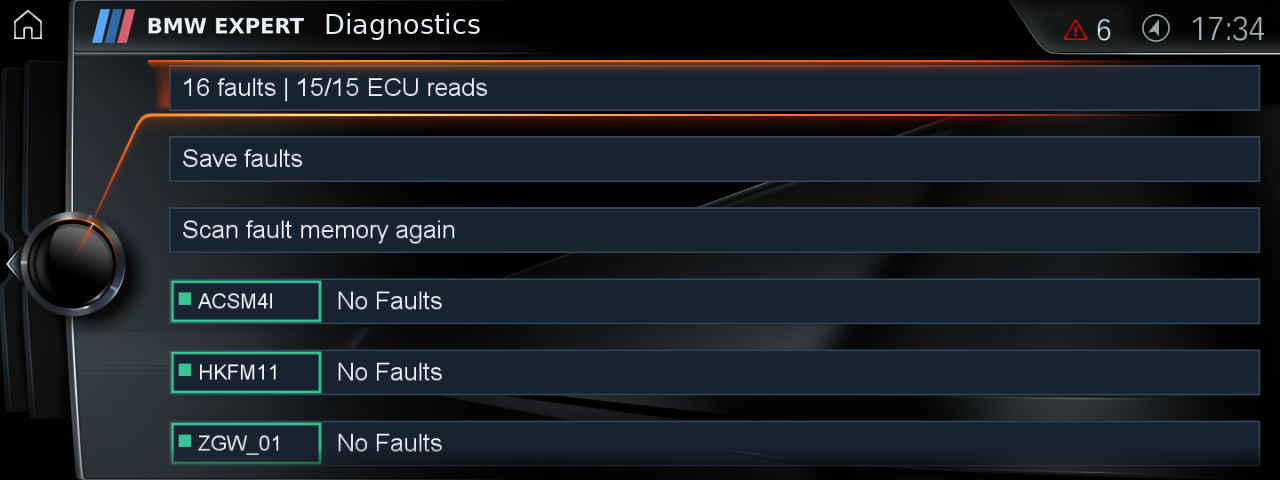
Example of a real NBT EVO display that can be viewed from the computer.
A desktop workspace for viewing and controlling a supported NBT EVO screen. Capture the display at its native resolution and use supported pointer, scroll, Home and Back controls from the computer.
Designed for workshop demonstrations, support and supervised testing. Control availability and refresh performance depend on the head unit and connection. Keyboard text entry is not included.
Access and compatibility are checked before setup. Use while the vehicle is safely stationary.
Before installation
Supported Linux computer and NBT EVO configuration, authorised head-unit access and a suitable network connection. Setup by arrangement.