
EXPERTNBT OS / YOUR FIELD GUIDE
More than a screen upgrade.
The apps you use, the information you need, and a new view of your vehicle’s condition. Meet ExpertNBT OS through actual screens and specific results.
01 / CONNECTED APPS
Weather belongs in your daily drive.
The app displayed current conditions, a multi-day forecast and a time-of-day breakdown. Temperature, rain and wind appear in the familiar iDrive interface.
Explore the forecast →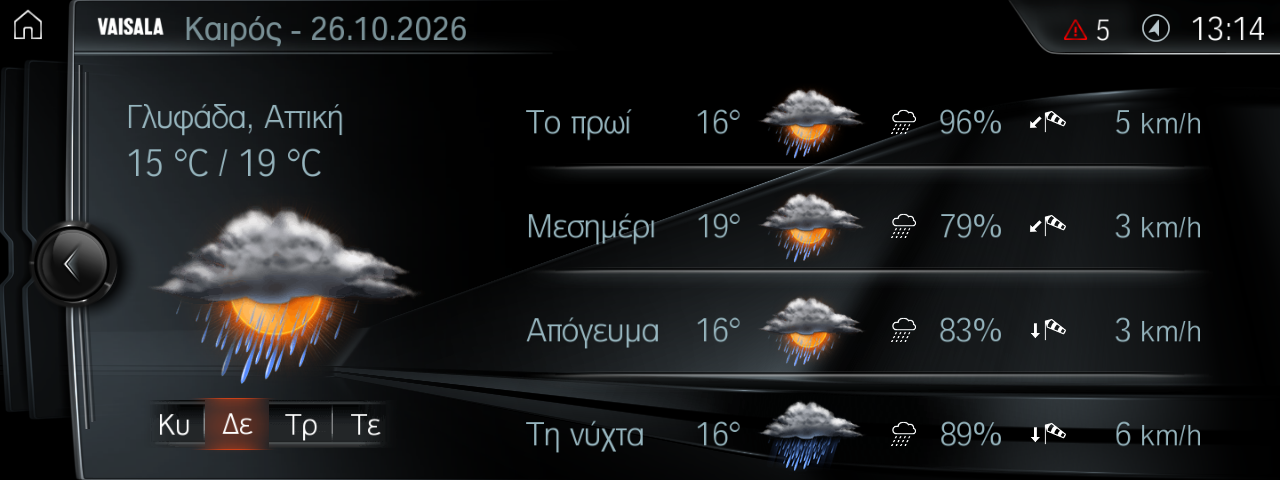
02 / ONLINE SEARCH
Find a place. Open its details.
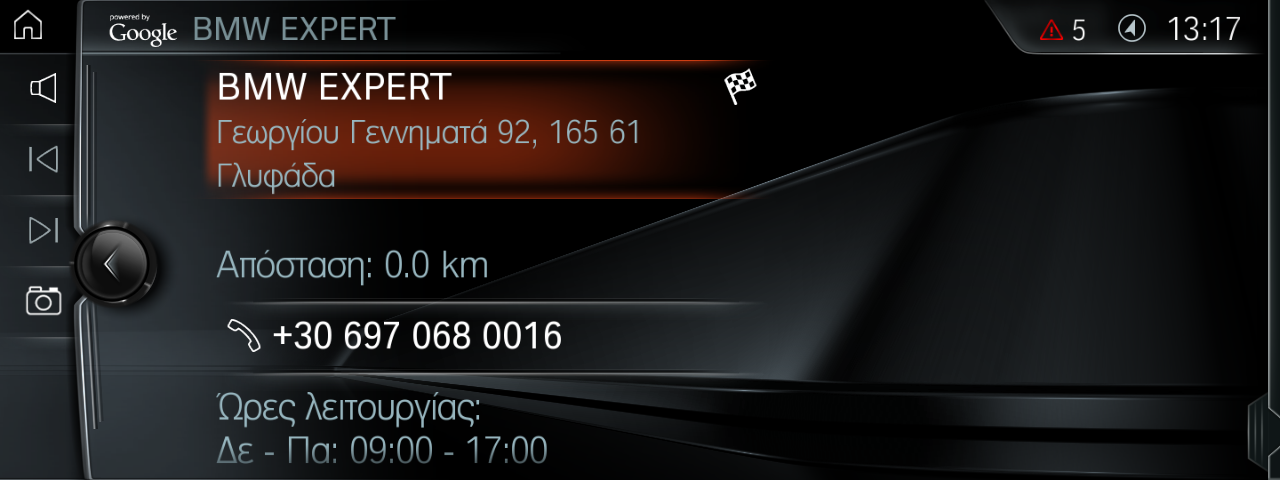
We searched for BMW EXPERT and received the actual business listing. The map, address, telephone and opening hours appeared. We did not start guidance or place a call.
Try the search journey →03 / BMW EXPERT DIAGNOSTICS
From ConnectedDrive to fault memory.
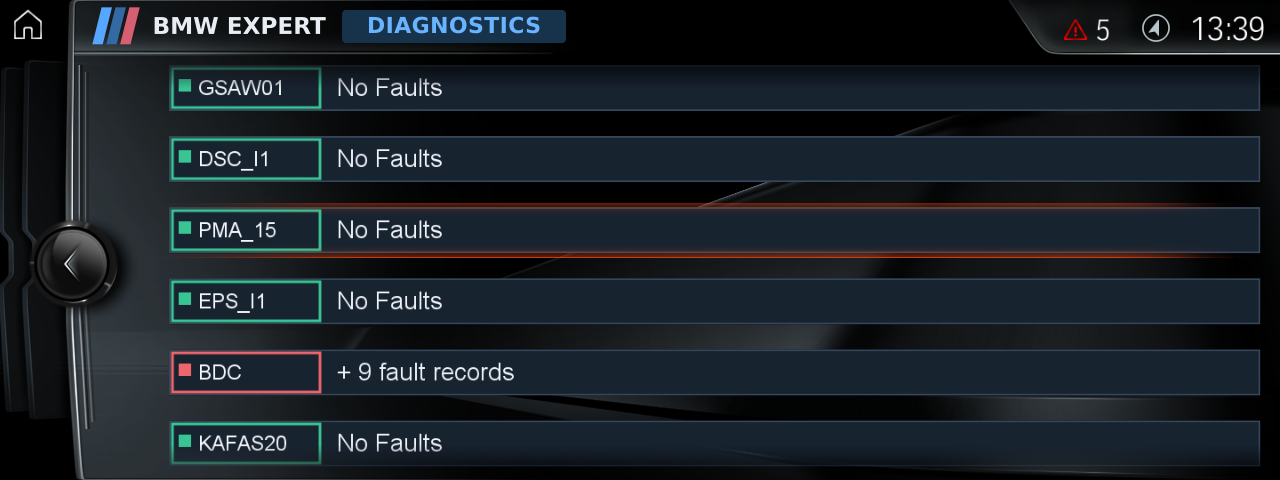
The diagnostic application runs inside NBT EVO. An external computer is not needed to display its results. Faults are grouped by module, with completed results distinguished from incomplete reads.
Open the application
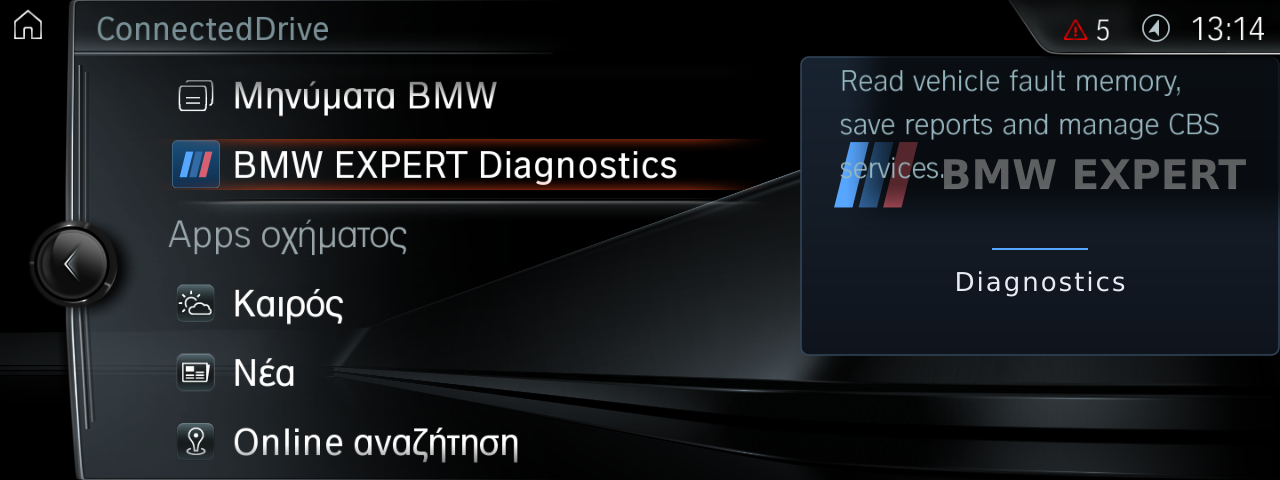
Choose BMW EXPERT Diagnostics in ConnectedDrive. The application checks vehicle identity for its diagnostic operations.
Review the modules
See which modules responded and which report faults. The demonstration vehicle’s completed report contains 15 successful reads from 15 responding modules.
Read, then return
Open the available descriptions and the saved report. Return to iDrive to finish the journey. Findings support diagnosis; they do not replace a technician’s assessment.
04 / SERVICE & CONTROL
Information first. Service when it is needed.
CBS service status
Supported items can include remaining distance or time and a service due date. The application shows the information returned by that vehicle.
Language and presentation
Choose Greek or English fault descriptions where definitions are available, and an alternative display style. Original codes remain identifiable.
Maintenance with a real purpose
Fault clearing, CBS resets and battery registration belong to actual maintenance work. They were not performed for this presentation and are not shown as successfully tested.
05 / FUNCTION CATALOGUE
What we checked. What worked.
Recorded on 25 October 2026 on the BMW EXPERT demonstration vehicle. We distinguish this session’s tests, saved results and functions that were not checked. This does not guarantee identical coverage on every vehicle.
iDrive and ConnectedDrive menus
App entry and return to the actual iDrive home screen.
View the screen ↗Weather and detailed forecast
Current conditions and the next-day breakdown loaded successfully.
View the screen ↗Online Search and business details
The BMW EXPERT search returned a listing with an address, phone number and opening hours.
View the screen ↗News
An initial service error was followed by a successful retry the same day: headlines loaded and an article opened.
View the screen ↗Fault-memory reading
Fresh read on 25 October 2026: 15 of 15 responding modules were read successfully. The report was saved on the iDrive unit.
View the screen ↗Fault explanations
Module expansion, a code description and stored-event details were checked. Partial data is explicitly identified.
View the screen ↗CBS service information
The read returned brake fluid and linked vehicle check, including available due dates and remaining distance. No reset was performed.
Battery-replacement information
The replacement count and mileage of the last registration were displayed. No new battery was registered.
View the screen ↗Head-unit-only read
The separate iDrive-unit read returned three fault records. This is not a whole-vehicle scan.
Reports and display preferences
Saving and reopening a report, switching display style and selecting Greek/English descriptions were checked. Original preferences were restored.
View the screen ↗Fault clearing and maintenance actions
No faults were cleared, CBS items reset or battery replacement registered to produce this presentation.
Entry, exit and company introduction
Re-entry, connection/disconnection and the About page with its animated company introduction were checked.
Another vehicle through ENET / ICOM
Interface discovery completed without finding an external vehicle. Diagnosis of a second vehicle and ICOM operation were not verified.
Android Auto and future extensions
In development. Not included among the capabilities presented as available.
06 / YOUR VEHICLE
A good installation starts with an assessment.
NBT EVO
Available after assessmentWe review the VIN, iDrive unit, software version and telematics. Available services are confirmed for your particular vehicle.
NBT / EntryNav / EntryEvo / MGU
In developmentExpressions of interest are welcome. No release date is announced and these are not presented as supported installations.
Remote installation
Where supported, a BMW EXPERT technician installs with suitable equipment, a reliable connection and stable power support. Module or wiring changes require physical work.
For eligible NBT1 / EntryNav1-era vehicles we offer TCB-to-ATM 4G conversions. For selected early 2013–2014 F-series cars without factory telematics, we assess standalone-module retrofits. Service eligibility, antennas and wiring are reviewed before quotation.
Keep the guide. Explore the experience.
The brochure includes actual screens, capabilities, limitations and the installation journey.
An independent BMW EXPERT implementation, not an official BMW product. Trademarks belong to their respective owners.